
 Gearbest Tech
Recently, a hot topic appeared on social media platforms: “What is the difference between teachers now and teachers in the past?” For a while, netizens expressed their opinions and started a discussion. Mainly because today's teachers have shifted too much tutoring work to students' time at home, and parents are responsible for it, while in the past teachers paid more attention to students' learning guidance at school.
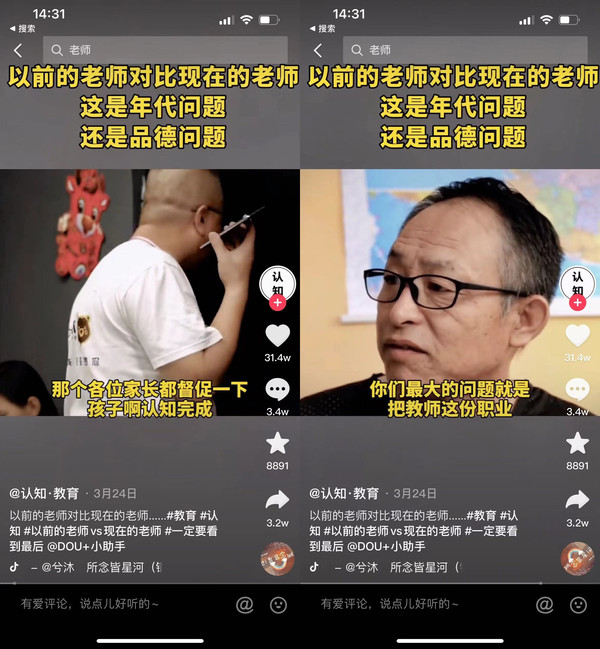
Launch an online discussion on teachers’ responsibilities
It can be seen that nowadays, children's education has become one of the most concerned issues in society. It requires the cooperation of both the school and the family to achieve satisfactory results for both parties. However, as parents, because they have been away from school for too long, they are already unfamiliar with the knowledge in books. They know little about it, let alone explain it clearly to their children, but they dare not make too many demands on teachers to prevent their children from being unfairly treated in school. Therefore, the problems that parents face urgently need to be solved are very real. If there is a “teacher” who has excellent teaching ability, is serious and responsible, and can always be at home with the children, can such problems be easily solved?
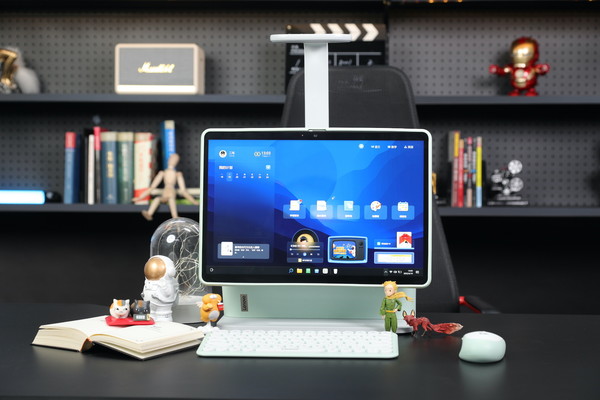
Lenovo Tianjiao all-in-one learning computer
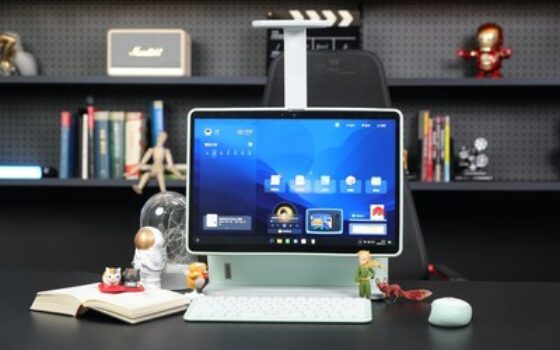
Because of this, Lenovo’s latest Lenovo Tianjiao all-in-one learning computer has caught the attention of parents. It integrates an all-in-one computer, a tablet computer, an eye protection desk lamp and rich teaching content, and includes multi-subject learning resources for K12 education from 5 to 18 years old.
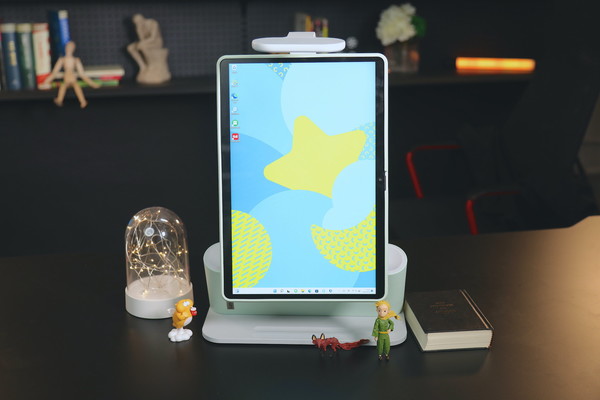
Lenovo Tianjiao all-in-one learning computer supports portrait and tablet modes
The overall appearance of Lenovo Tianjiao all-in-one learning computer is quite different from that of ordinary all-in-one computers. The main reason is that it has a split design with a detachable screen. Since the screen itself has a touch screen function, it can still be used like a tablet after the screen is removed, making it convenient for children to study anytime and anywhere at home. When used as an all-in-one computer, children can sit in front of the desk and operate it through the keyboard and mouse just like using a regular computer. If necessary, we can also rotate its screen and adjust it to portrait mode. This design is to make it easier for children to watch when reading and programming. Of course, we can also connect laptops, mobile phones, tablets and other devices to make it an extended screen and enrich the usage scenarios, giving Lenovo Tianjiao all-in-one learning computer more possibilities.
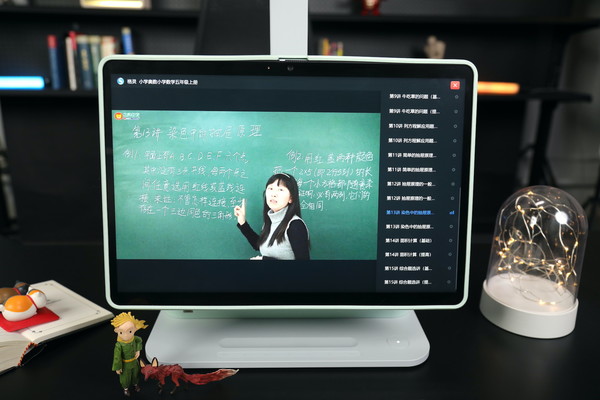
16-inch large screen protects children's eyes
When it comes to children using electronic products, what parents are most worried about is that the children cannot control the time of use and may harm their eyes and posture. But nowadays it is really difficult for us to prevent children from using electronic products. Instead of isolating children from technology, it is better to find a healthier way for children to use electronic products. The screen of Lenovo Tianjiao all-in-one learning computer has a large size of 16 inches, which is even larger than the monitors in some families. Children can see clearly without getting too close.
At the same time, the screen of Lenovo Tianjiao all-in-one learning computer has also passed the double guarantee of TUV Rheinland low blue light flicker-free certification and Eyesafe certification, which reduces the damage of the screen to the developing eyes of children and children, especially in terms of anti-screen reflection and glare, effectively eliminating symptoms such as vertigo and dizziness caused by high-frequency flashing blue light. In addition, this screen also has an ultra-high resolution of 2.4K (2560 x 1600) and a high quality of 100% sRGB high color gamut. These are rare configurations in computers that focus on education. After all, it is not an exaggeration to think that it is more advanced for children.
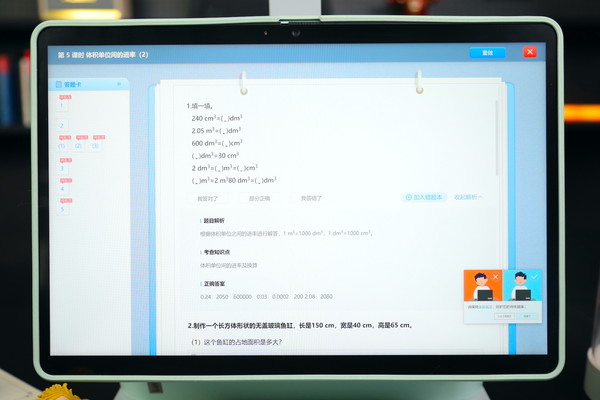
Sitting posture reminder in the lower right corner
In addition to hardware, Lenovo Tianjiao all-in-one learning computer also has corresponding protection measures in software. For example, when a child's sitting posture is incorrect or close to the screen, the camera on the Lenovo Tianjiao all-in-one learning computer screen and the built-in Lenovo Aware software can remind the child in real time to help the child adjust to the correct sitting posture and reduce the possibility of myopia and hunchback. Even if the parents are not around, they can become the “little guardian” of the child's health. In addition, the software can also record the duration of each use by the child, and will remind the child after the timeout, which also facilitates subsequent checks by parents and helps children use the computer more rationally and healthily.
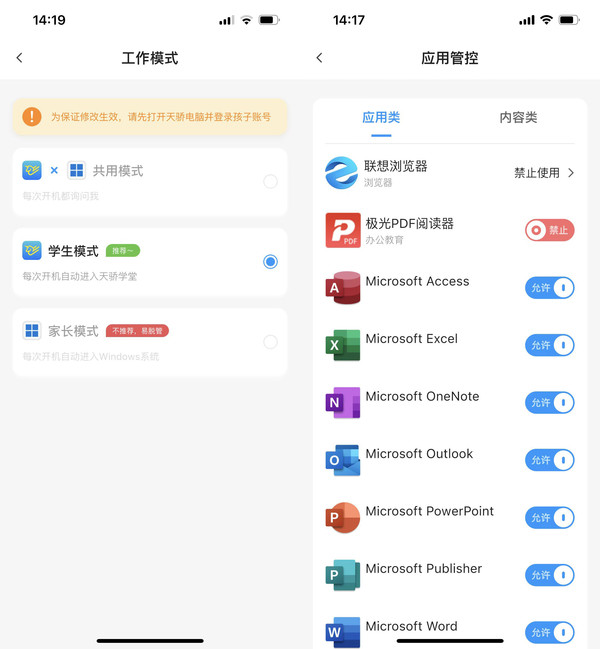
Parents can understand the details of their children’s use
As a parent, what worries you most is that your children are actually playing games for the purpose of learning. Although the performance of Lenovo Tianjiao all-in-one learning computer is the same as that of ordinary computers, and it comes with Win11 system. But in actual use, you will find that children can only enter the Lenovo Tianjiao Academy in the learning mode. If they want to enter the Windows system, they need to enter the parent authorization password. If the parents have not set it, then sorry, you can only study seriously in the learning mode, and don't think about playing games secretly. What if the child insists on using the Windows system, but parents are afraid that they will not be around to limit the usage time? It doesn't matter, parents can set it up to allow the use of all Windows system functions during a certain period of the day, and automatically switch to learning mode when the time comes.
All downloads and usage records during children's use can be queried and controlled through the APP installed on the mobile phone by parents. In the learning mode, more than 500 educational software and learning tools are strictly screened to ensure that children are more focused and safer in learning. Of course, parents can turn on the parent mode when using it. After all, Lenovo Tianjiao all-in-one learning computer not only has all the functions of the genuine Windows system, but even office-related software is genuine authorized, so there is no problem for parents to use it in the office.
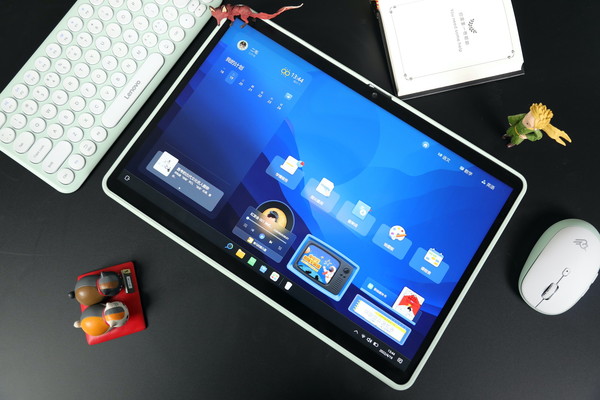
Lenovo Tianjiao all-in-one learning computer tablet mode
So what exactly does Lenovo Tianjiao all-in-one learning computer help children learn? First of all, Tianjiao all-in-one computer contains Chinese, mathematics, physics, chemistry, etc. for elementary, middle, and high school students. It contains 20,962 knowledge points in 11 subjects, 53 full explanations of textbooks, and 53 daily exercises. It is intuitively presented to children in various ways such as video and text. Children can actively choose the course content they need to learn.
We can see that the content included in the synchronous learning in Lenovo Tianjiao all-in-one learning computer can match the different versions of mainstream textbooks in various regions across the country, including more than 20,000 lessons and synchronous classroom videos for more than ten courses (Chinese, mathematics, English, biology, history, geography, politics, chemistry, physics, science), helping children more effectively carry out pre-class preview and after-class review work, completely synchronized with the school's learning progress, complementing the teacher's classroom teaching, and helping children better understand and consolidate the key points of knowledge.
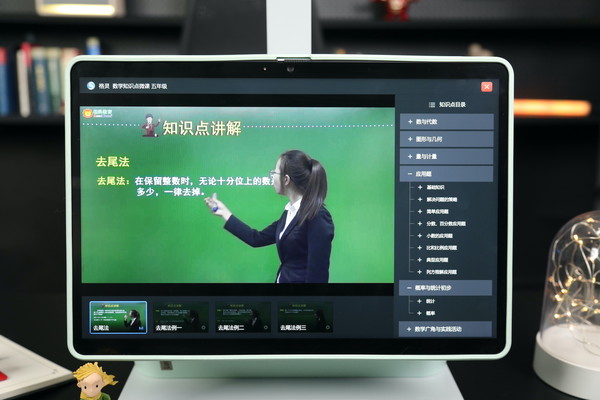
Lenovo Tianjiao integrated learning computer video content is in line with teaching materials
After watching the video course, you can also choose functions such as 5.3 daily practice and intensive lectures on required test points, which are fully integrated with the classroom teaching of each chapter, helping children find the difficulties, key points, and weak points of knowledge, synchronizing with the learning progress, and achieving twice the result with half the effort.
“Knowing your mistakes can lead to great improvements.” Learning itself is a process of constant trial and error to summarize the truth, and in the teaching process we ignore the positive aspects of mistakes. Lenovo Tianjiao all-in-one learning computer has thought of this for us.
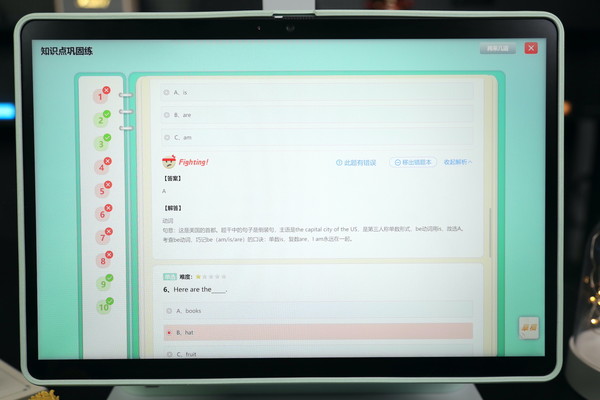
Lenovo Tianjiao all-in-one learning computer test
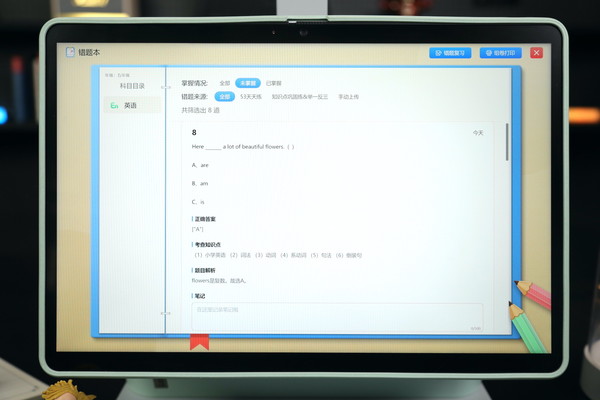
Lenovo Tianjiao all-in-one learning computer error book
For example, we selected a set of fifth-grade English questions on verb application for testing. After answering the questions by express delivery, the system corrected the questions for us. It can be seen that after each test, the content of this chapter will be evaluated to show the mastery of this knowledge point. In addition to marking wrong answers, the correct answers, thinking methods and related knowledge points will also be given. Next, the wrong questions will be included in the “Wrong Question Book”, and the new content will be clearly marked “NEW”. In the wrong question book, you can check the test key points, knowledge points and related explanations of this question, so as to avoid making the same mistake again in future repeated tests and consolidation.
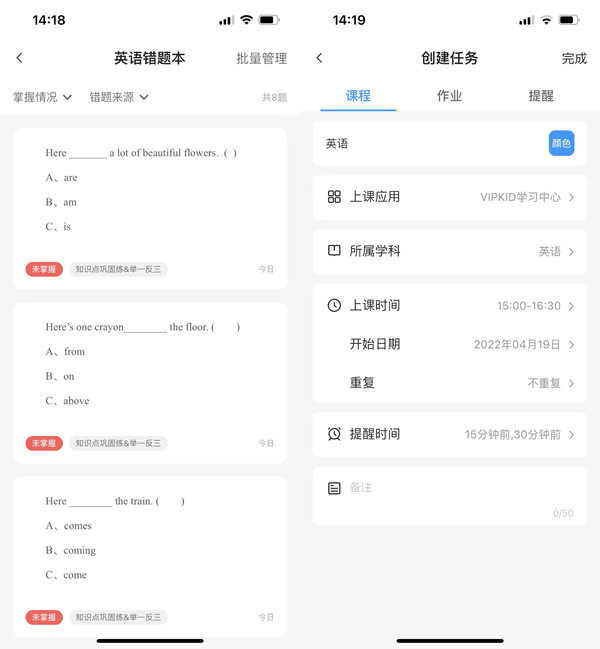
Parents can understand their children’s learning status through mobile phones
In addition to the wrong questions from the test, we can also use the parents' APP to take photos and upload the wrong questions in the children's daily exercises and test papers, which will also be included in the wrong question bank. The system will also summarize the learning points and give tips on weak points of knowledge. In subsequent tests, we will focus on the consolidation of this type of errors to help children “review the past and learn the new”, improve their accuracy, and lay a more solid knowledge foundation.
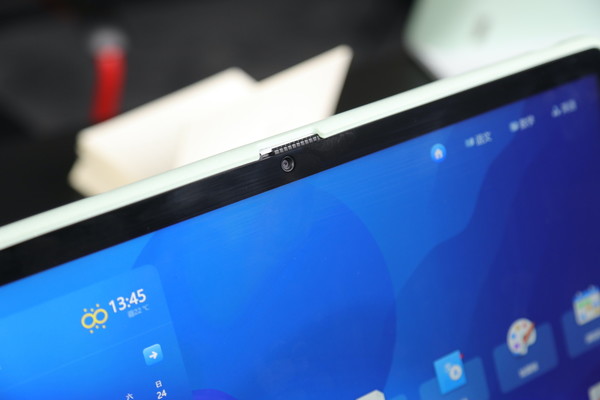
Lenovo Tianjiao all-in-one learning computer front video camera
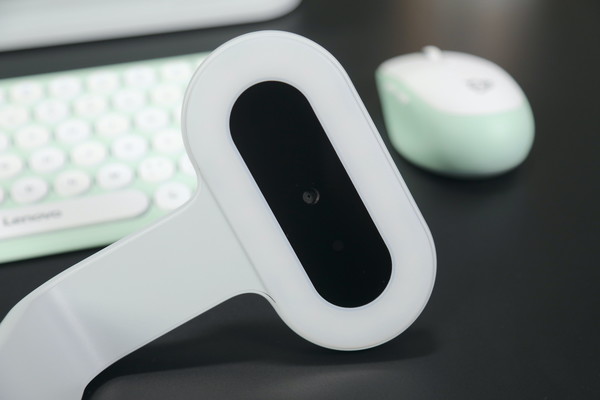
Lenovo Tianjiao all-in-one learning computer desk lamp camera
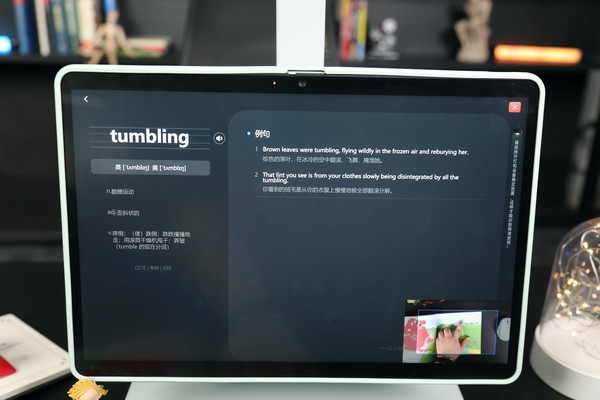
Lenovo Tianjiao all-in-one learning computer with fingering, pointing and translating function
We noticed that Lenovo Tianjiao all-in-one learning computer also has an 8-megapixel camera. In addition to video, this camera is also responsible for identifying the child's sitting posture and screen distance. There is also a camera on its desk lamp. This camera is mainly responsible for the finger checking function. When I We put the textbook on the desktop, under the camera, and only need the child's finger to point to the location where they want to translate, and the Chinese and English translation can be performed and appear on the screen. Click on the screen to listen and read. It is very helpful for children to learn spoken language and words, and it is also very convenient to use.
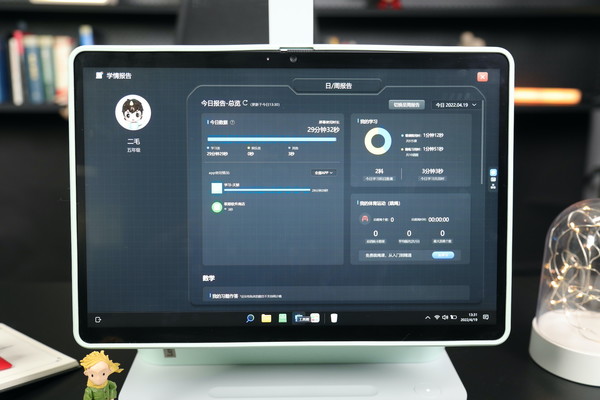
Lenovo Tianjiao all-in-one computer learning report
After each stage of learning, the built-in learning report review function of Lenovo Tianjiao all-in-one learning computer can analyze the current learning progress, learning results, APP usage and other data of the child, and give reasonable suggestions for improvement. While the child is learning independently, it can also let parents know more about their child's learning progress, provide parents with a more intuitive and clear data context, and allow parents to be more targeted when guiding their children's learning.
It is not difficult to find from the experience that the question bank of Lenovo Tianjiao all-in-one learning computer is very complete, and the system that combines text and video is also very popular with children. At the same time, it is very easy for parents of children to manage their children's learning time and gain an in-depth understanding of their children's learning status. These functions alone are enough to prove that this all-in-one computer thinks about what parents want and worries about them, helps parents and children solve difficult problems, and becomes the best learning partner for the whole family.
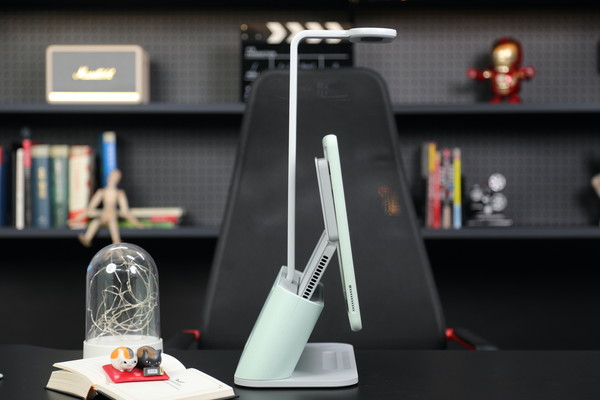
Lenovo Tianjiao all-in-one learning computer
As mentioned above, Lenovo Tianjiao all-in-one learning computer, although it focuses on learning functions, is not inferior to most all-in-one computers on the market in terms of hardware configuration, and can run the Win11 system completely. It uses the most mainstream Intel 11th generation Core i5-1155G7 processor, built-in 16GB dual-channel LPDDR4X-4266 memory and 512GB high-speed solid-state drive. It is a powerful home computer. At the same time, in addition to the Chinese version of Windows 11 Home, genuine Office home and student versions are also pre-installed inside, which is more competitive than many products sold as complete machines on the market. After all, it is a computer that is mainly used for learning, so it needs to pay more attention to the speed of operation and processing speed and the convenience of use. Lenovo Tianjiao all-in-one learning computer has taken these aspects into consideration for us.
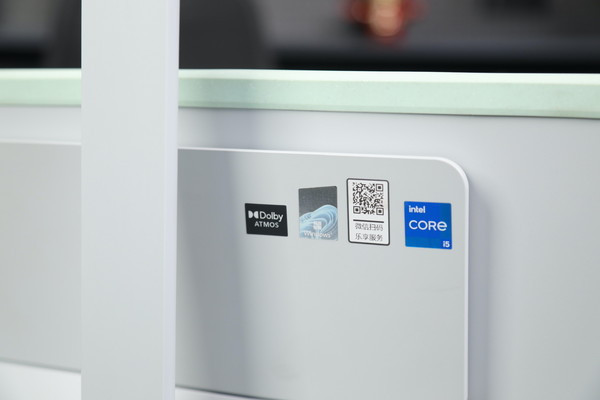
Lenovo Tianjiao all-in-one learning computer
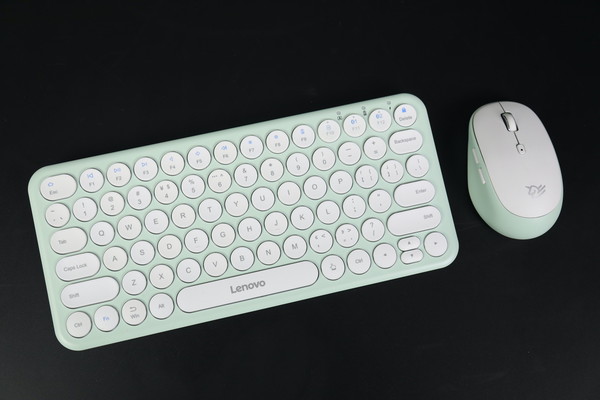
Lenovo Tianjiao all-in-one learning computer with keyboard and mouse
In terms of audio, Lenovo Tianjiao all-in-one learning computer has chosen a customized JBL sound system and Dolby Atmos, allowing children to have an immersive experience like studying in a classroom. The built-in intelligent noise reduction dual microphones also make the voice communication with the computer clearer and the recognition more accurate.
Remember we said that the Lenovo Tianjiao all-in-one learning computer can be split and used? If the screen is detached from the base, it will be a complete Win11 tablet that can realize all the above functions. Due to the built-in independent battery, it can ensure long-term study even if it is not plugged in. In terms of charging, it can be charged by putting it back on the base. It can be charged to more than 50% in 30 minutes, which is quite fast.
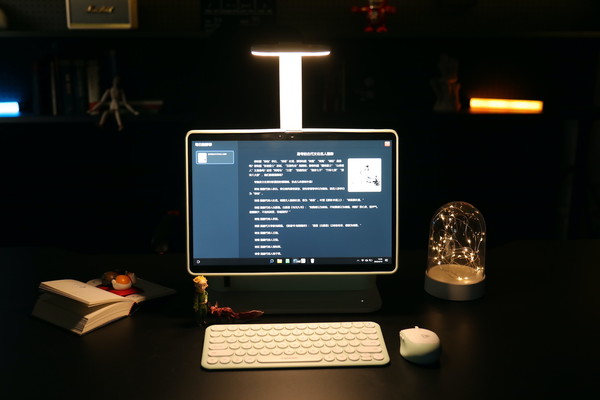
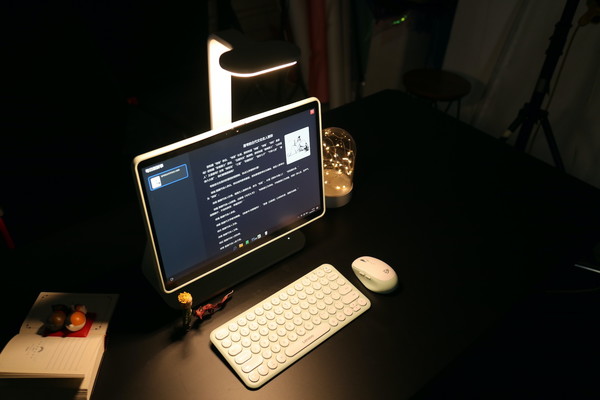
Lenovo Tianjiao all-in-one learning computer desk lamp mode
In terms of other accessories, Lenovo Tianjiao all-in-one learning computer also includes an overhead desk lamp, which can provide RA95 color rendering index and RG0 Class A lighting with no blue light hazard specifications, independent light and dark dimming, no stroboscopic, and no glare, which is an additional layer of insurance to protect children's vision. The all-in-one machine also comes standard with a Bluetooth and wireless dual-mode keyboard and mouse. The original machine can be used smoothly and saves the cost of purchasing it separately.
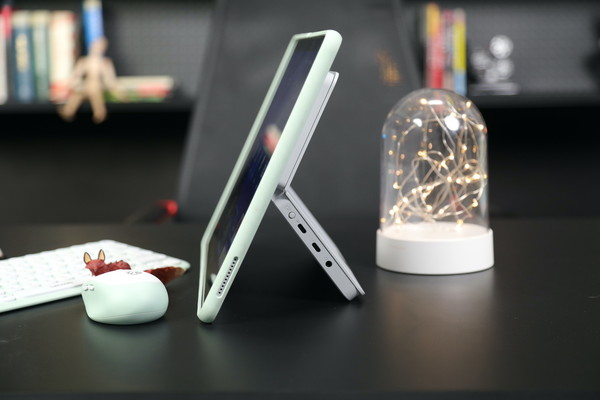
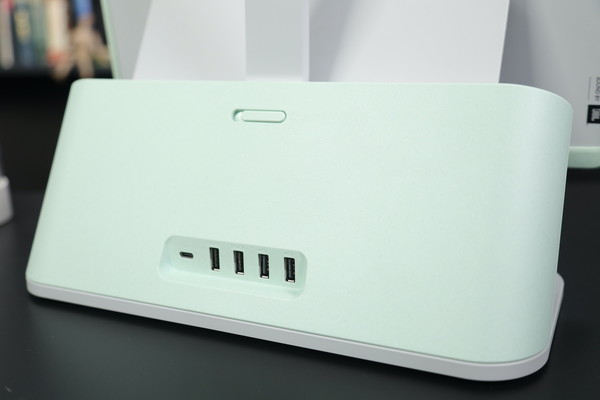
Lenovo Tianjiao all-in-one learning computer has rich interfaces
In addition, Lenovo Tianjiao all-in-one learning computer has a full-featured Type-C expansion interface, a Thunderbolt interface, a 3.5mm headset interface, 2 USB 3.2 interfaces, 2 USB 2.0 interfaces, and a switch button for converting an external extended display into PC mode. This multi-port connection adapts to different devices and is suitable for different people.
After listening to our introduction, I believe everyone has a deeper understanding of the Lenovo Tianjiao all-in-one learning computer. This all-in-one computer is focused on learning, but it has performance configurations that are not inferior to other computers on the market. At the same time, it protects children's health from the screen to the overhead desk lamp. More importantly, the massive teaching content, humanized guidance programs, and complete safety protection measures it covers can provide children and parents with a better learning and tutoring environment. It is a product suitable for children aged 5 to 18 years old. I believe that with the help of Lenovo Tianjiao all-in-one learning computer, it can not only improve children's learning efficiency but also reduce the tutoring burden on parents. It is a rare and good product.
magicCubeFunc.write_ad(“dingcai_top_0”);


 Login with Google