
 Sophia Windsor
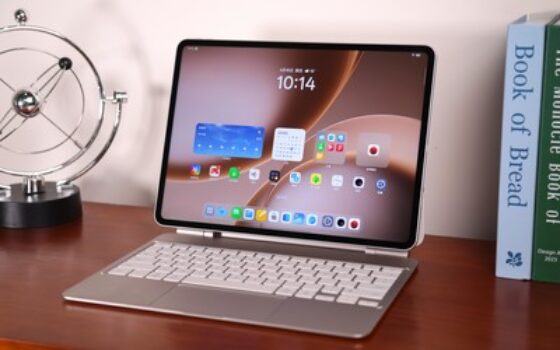
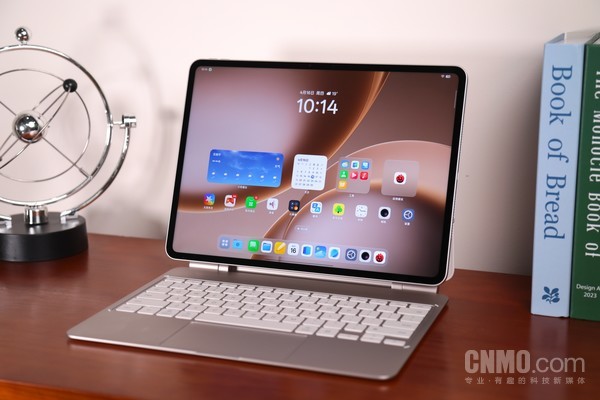
[Gearbest Technology]Can tablets replace laptops? This question has been discussed for more than ten years, and the answer is always ambiguous. But OPPO is pushing this question from “can it” to “in which scenarios can it be done?” With the fifth-generation Snapdragon 8 Extreme Edition processor, a 13.2-inch 3.4K ultra-clear original color screen, a large 13380mAh battery, a floating keyboard and a fully upgraded ColorOS16 system, OPPO Pad 5 Pro strives to use these blessings to make the tablet truly touch the boundaries of notebooks.
Shape determines the posture used
From a morphological point of view, the biggest difference between a notebook and a tablet is the presence or absence of a keyboard. So before we talk about productivity, we have to talk about keyboards. The productivity limit of a tablet is largely determined by the input method, and the floating keyboard equipped with OPPO Pad 5 Pro is a key accessory that distinguishes it from the previous generation product and the standard Pad5.
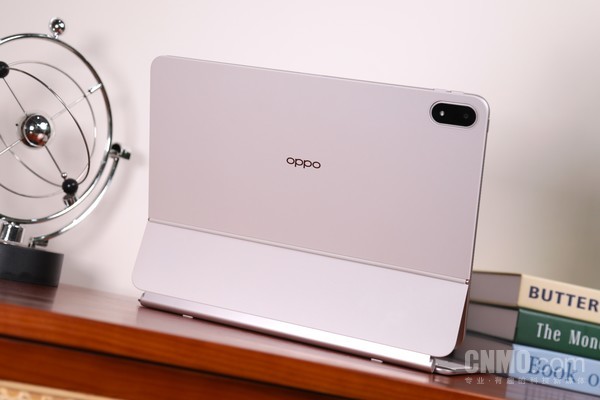
The core of the so-called “floating” lies in the use of an adjustable-angle hinge connection structure between the keyboard and the screen. The screen can freely adjust the tilt angle within a certain range, similar to the clamshell experience of a laptop. It is especially practical in restricted spaces such as airplane tray tables and high-speed rail seats.
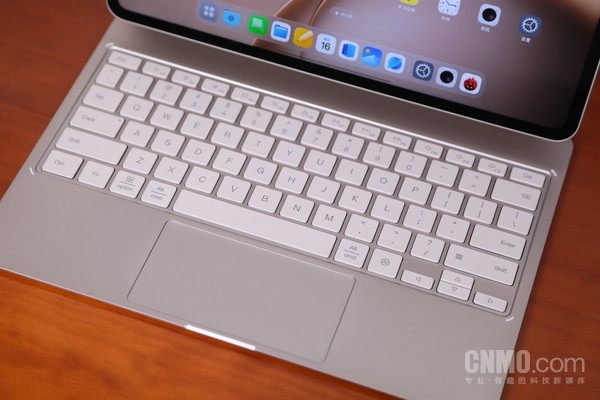
It is worth mentioning that the key travel and rebound feel of the OPPO Pad 5 Pro keyboard surprised me. It is close to the level of mainstream notebook keyboards, and it also has the same gesture interaction experience as the MacBook. In terms of touchpad design, OPPO also supports more native touch gesture operations unique to Android.
In addition, the OPPO Pad 5 Pro tablet body weighs only 672 grams and is only 5.94 mm thick. Even with the floating keyboard, the overall weight of this 13.2-inch device is far lower than that of top-tier thin and light laptops, and its portability advantage is very prominent.
The leap from “usable” to “easy to use”
PC-level office work is the biggest bargaining chip of OPPO Pad 5 Pro, and it is also the place where it has the most confidence to say that it can defeat some functions of notebooks.The smoothness of ColorOS 16 naturally does not need to be much, and it has always been known as Dove in the organic industry. Whether it is animation effects or switching between apps, it can achieve extremely fast response to sliding touch and smooth and coherent screen transitions.
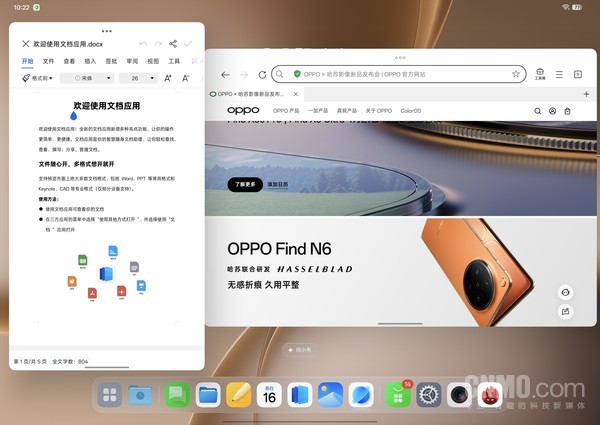
It is worth mentioning that OPPO Pad 5 Pro debuts a desktop-level free multi-window system. Both the look and feel and usage habits are like the PC version, and the size and position can be adjusted freely. The switching effect between floating windows is smooth, and the response to dragging and adjusting the size and position is also very smooth. The practical value of this design is that while you can focus on the main task in full screen, you can call out the auxiliary application through the sidebar at any time, and close it after use without interrupting the main workflow.
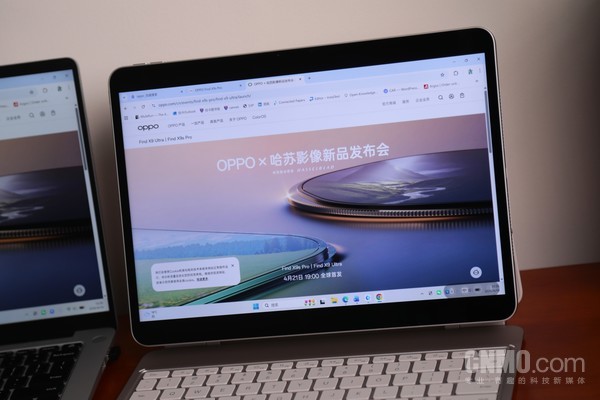
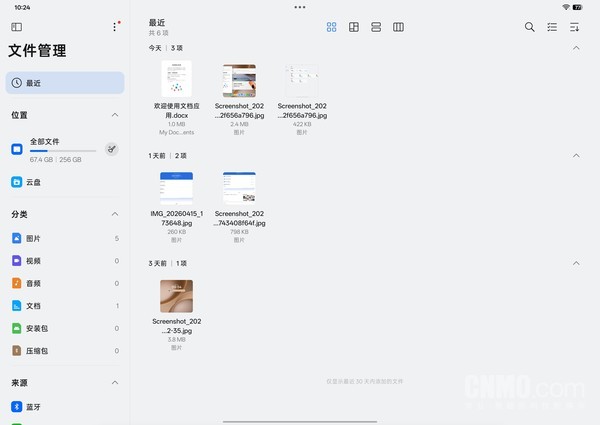
In addition, OPPO Pad 5 Pro also supports interconnection with Windows and Mac computers, as well as remote control of PC functions. It can be either an extension of the computer or a projection of the computer. And in terms of file management, OPPO Pad 5 Pro also adopts a computer-like browsing method, which is efficient and direct.
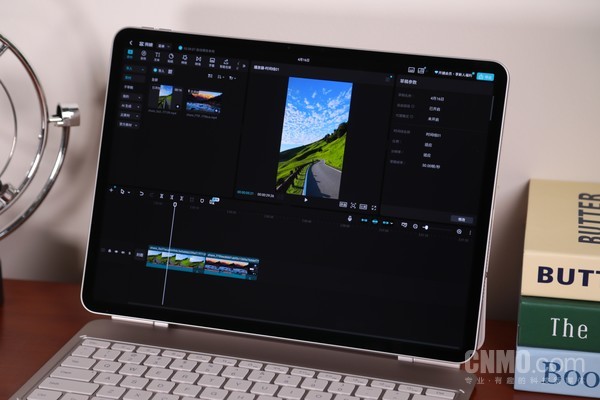
In terms of creation, OPPO Pad 5 Pro is equipped with a professional version of Vlogging. With the floating keyboard and large screen, the Vlog editing experience is close to desktop level. In addition, the professional version of Cut Screening has been deeply adapted to the OPPO file manager, which can insert materials more efficiently. As for mobile phones, they are limited by screen and finger operations, and it is difficult to provide the broad orbital field of view and stylus-level accuracy like tablets.
In the final analysis, whether it is for working or creating, this set of gameplay would have been unthinkable on an Android tablet from two or three years ago. What really makes “removing some functions of the notebook” come true is the fifth-generation Snapdragon 8 Extreme Edition chip. The performance redundancy is enough to support all the above multi-tasking scenarios, and it will not be stuck no matter how you drag or split the screen. At the same time, the 13380mAh battery coupled with 67W fast charging is enough to last a full working day and quickly recharge. All these combined make OPPO Pad 5 Pro’s statement that “it can defeat some functions of a notebook” no longer empty talk.
Entertainment Unleashed on Flagship Hardware
In addition to productivity, OPPO Pad 5 Pro, as a flagship tablet, also has noteworthy performance in audio-visual entertainment and games.
The immersive feeling of the 13.2-inch 3.4K screen in video viewing is needless to say. The combination of large screen + high resolution means clear and sharp picture details when watching 4K video sources. At the same time, Rheinland Eye Protection 5.0 certification, full-brightness flicker-free DC dimming, hardware-level low blue light and other eye protection configurations make watching dramas for a long time significantly less stressful on the eyes than ordinary screens.
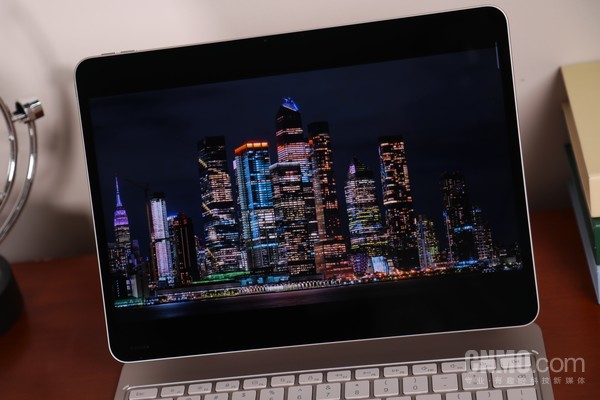
In terms of audio, the HiFi-level 8-speaker surround sound field creates a 9.68cc ultra-large sound cavity. Combined with audio technologies such as panoramic spatial audio, spatial audio 2.0, and sound field expansion, it can provide users with an excellent listening experience. Whether watching movies or listening to music, it can bring an immersive surround listening experience.
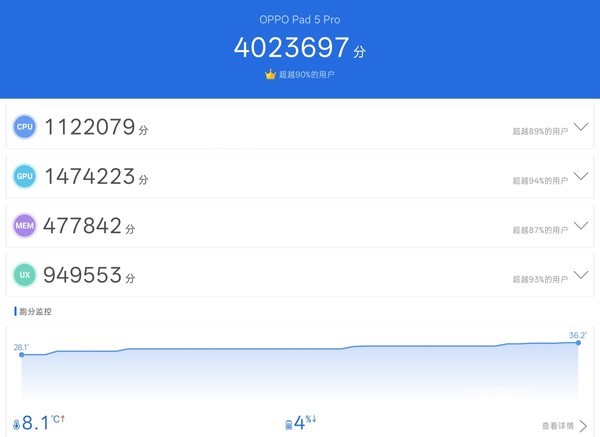
In terms of games, the performance of the fifth-generation Snapdragon 8 Extreme Edition is the ceiling of the current Android camp, and the measured AnTuTu running score easily exceeded 4 million. Paired with a Tiangong cooling system with a total heat dissipation area of 40760mm, there is no need to worry about the gaming performance of OPPO Pad 5 Pro.
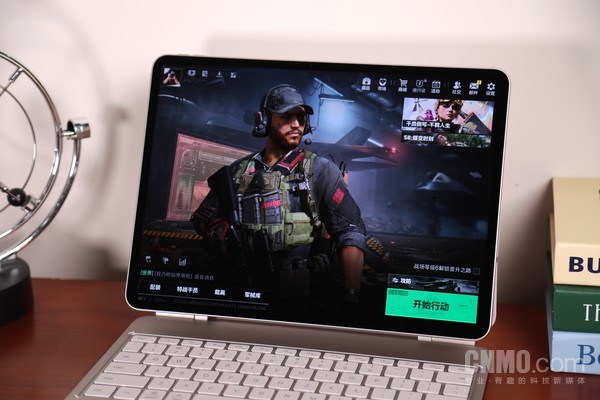
In terms of game optimization, OPPO Pad 5 Pro supports “Peace Elite” Super Picture 3.4K + native 144Hz and “Genshin Impact” Super Picture 2.7K + Super Frame 120Hz for an ultra-clear and ultra-smooth experience. Especially for games such as FPS, a larger screen means a wider field of view, making it easier to spot enemies in the distance, which directly helps the competitive experience.
write at the end
In general, OPPO Pad 5 Pro has a very clear product positioning. The floating keyboard changes the usage posture. The PC-level application ecosystem and complete multi-tasking system give it real office capabilities. The flagship-level audio-visual and game performance ensures the quality of entertainment after work. In my opinion, it won't completely replace your laptop. But for the comprehensive needs of daily office work, lightweight creation, and daily entertainment, OPPO Pad 5 Pro is already a comprehensive mobile device that can take into account both productivity and entertainment.


 Login with Google