
 Gearbest Tech

[Mobile China News]2022 has come to an end in the blink of an eye. In this year's work, we have had many shining moments worth remembering, which makes us welcome 2023 with greater expectations. However, writing a year-end review report often gives office workers a headache.
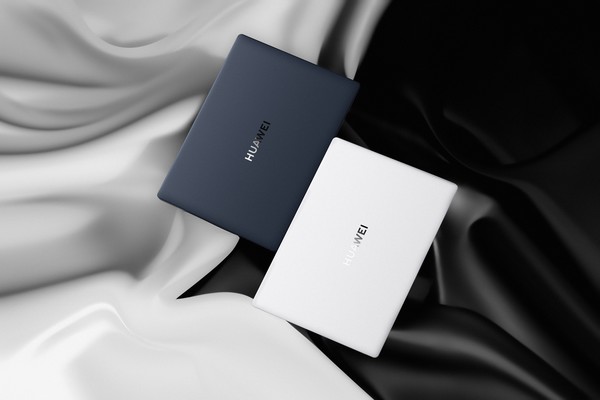
How to write a good year-end report? Many colleagues around me are using Huawei notebooks. I am also a user of Huawei MateBook X Pro 2022 Micro Velvet Collector’s Edition. I have summarized a little experience in writing year-end reports.
Generally speaking, colleagues who are engaged in graphic design like to look through the manuscript materials on their mobile phones on their laptops when writing their year-end summaries. This is because all Huawei laptops support the Super Terminal function, which enables multi-screen collaboration with one pull and close, making it easy to operate across screens. Then they draw on a tablet, and after finishing the painting on the tablet, they complete operations such as color correction and plate fixation on the computer. Finally, the final year-end version is printed directly on the printer with just one touch. For friends who edit videos, their year-end summary is more about editing the flash shots of the family's year-end Vlog. They browse the materials on their mobile phones on their laptops and edit them into videos, and finally play them on the smart screen at home. Huawei Laptop Super Terminal doubles efficiency with just one pull!

However, more people’s year-end reports are still presented through PPT, pictures and texts, and we still cannot avoid sorting through piles of data. There is no way. After all, a year-end report can only be considered professional if it is supported by data. It can reflect some problems very intuitively. However, the problem is that if we cannot quickly sort out the data and organize complicated notes, our year-end review may be written very slowly, which requires our notebooks to work efficiently. Facts have proved that a good office laptop is really important.
Having said that, this is not just a matter of a laptop. Our mobile phones and tablets are all terminals for storing data. This is the painful part for professionals when writing year-end reviews. We all have data and information, but it is always “cluttered” or the efficiency of doing it is too low, and the things written are not ideal.
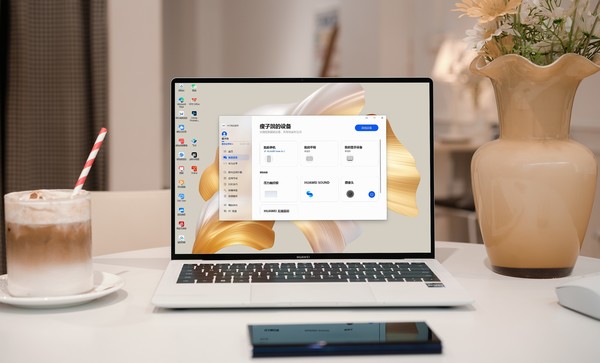
In fact, these are all shortcomings of traditional equipment. In a multi-device mixed office scenario, office workers switch back and forth between mobile phones, computers, and tablets. However, traditional devices have problems such as system fragmentation and file transfer, and they are always not smooth to use. Especially when writing a year-end review report, the information on different devices cannot be found at all. I can only click on different folders one by one. The computer screen is almost full of files. Many people are overwhelmed by this. Some users also like to use WeChat to transfer files, but the file transfer is not only slow but also affects the quality of the material. In short, it greatly affects efficiency.
Therefore, it is not without reason that many people do not want to write a year-end review.
To be honest, for me who is used to using Huawei's family bucket, it has been difficult to use those traditional equipment. Huawei's Family Bucket has an obvious advantageous experience. It does not require a wired connection, but it brings more convenient and smart functions. This is the helper that office workers really need.
Take multi-device collaboration as an example. Use Huawei MateBook Not only that, the coordinated mobile APP supports a large horizontal screen window, which restores the usage logic of PC as much as possible, so that we are more accustomed to the operation and can quickly find the year-end review information or data we need.
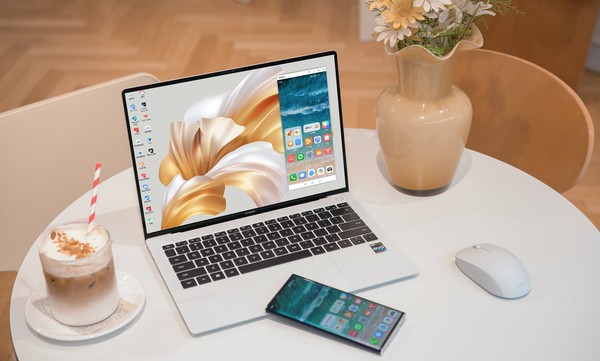
It doesn’t matter if you can’t find the information for a while. Huawei MateBook
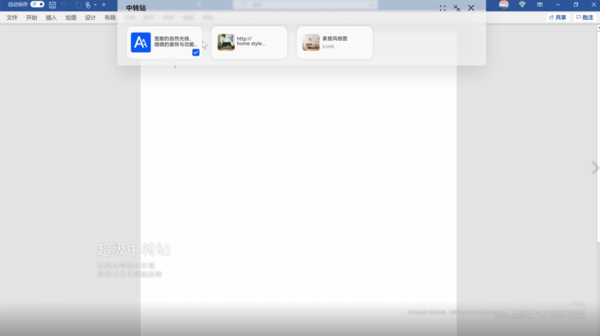
When it comes to finding information, I believe that copying and pasting text was a daily routine for many office workers. The efficiency of doing so can be imagined. In response to this, Huawei MateBook Another point is that the super transfer station supports historical content query, reuse, batch deletion and other operations. It can also transfer information across devices, so that fragmented information can be organized efficiently.
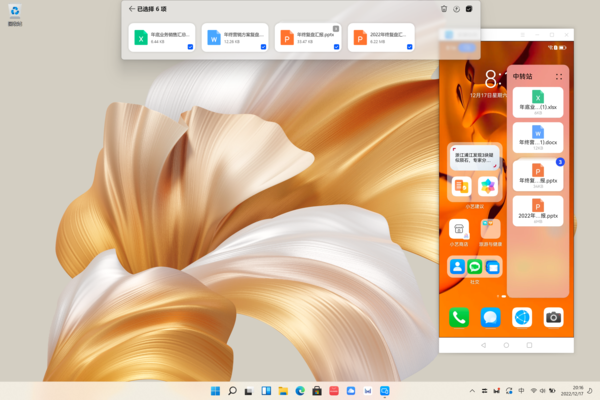
In addition, using Huawei MateBook At the same time, with Huawei Family Bucket, some videos with large memory can be directly dragged to the computer for use, which is more convenient and faster.
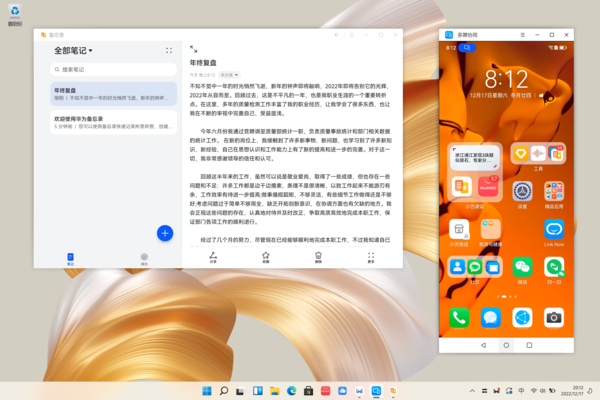
In general, in terms of efficient office work, Huawei MateBook
Huawei's gratitude season has begun. Huawei PC has prepared many surprise discounts on its best-selling models, including compact new products, business companions, and large-screen hot products. I believe you will get something: the flagship MateBook The high-power i9 16s model has a limited-time discount of up to 500 yuan, the newly launched MateBook 14 1TB new configuration starts from 6,199 yuan, and the MateStation
The ever-popular MateBook D 14 and MateBook D 15 are also launching surprise promotions of up to 800 yuan this time. Don’t miss it. In addition to personal offices, Huawei PCs also have printer products suitable for the whole family. The Huawei PixLab V1 is an elegant white model starting at 1,349 yuan. It is super easy to print with just one touch. MateBook E series 2-in-1 notebooks are discounted by up to 500 yuan for a limited time! Old users can save another 50 yuan by receiving coupons, and can also enjoy 12 installments of zero interest. Come and unlock new productivity!
On December 29th, come to JD.com’s Little Rubik’s Cube, Huawei’s Thanksgiving Feedback Season, and you’ll get a discount of up to 1,000 yuan on Huawei laptops. If you like it, don’t miss it!
magicCubeFunc.write_ad(“dingcai_top_0”);


 Login with Google