
 Gearbest Tech
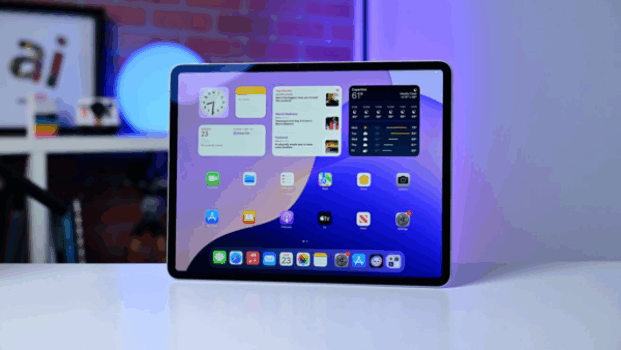
[ Gearbest Technology News]Apple recently released iPadOS 18.4. This update brings upgrades to Apple Intelligence, improvements to the mail application, and many other new features.
After four testing cycles, iPadOS 18.4 is finally open to the public for download. Its version number is 22E240, which is the same as the second release candidate. Rolling out simultaneously with iOS 18.4 and macOS 15.4, this update focuses primarily on enhancing Apple Intelligence, but also includes other important improvements, such as an updated Mail app.
On the Apple Intelligence front, iPadOS 18.4 expands support for more languages, including Simplified Chinese, French, German, Italian, Japanese, Korean, Brazilian Portuguese and Spanish, as well as localized English support for India and Singapore. Image Playground has added a new Sketch style, providing more image display options. The priority notification feature can push important updates to the lock screen so users can see them at a glance.

There are a number of new Apple Intelligence-specific options added to Control Center, such as Talk to Siri and Type to Siri buttons. In addition, there are small features such as AI summaries of App Store reviews and faster animation effects when typing into Siri. These updates make the user's interactive experience smoother and smarter.
The Mail app gets the same updates as iOS in iPadOS 18.4, including an inbox sorting feature that divides your inbox into four categories: Primary, Transactions, Updates, and Promotions. Users can view their full inbox or turn off categorization permanently by clicking on the currently active category. Additionally, contact photos now appear next to inbox messages, along with a summary of the conversation thread.
Many new options have been added to the Shortcuts app, giving users more choices for automated commands. The Apple News app has added a “News+ Food” section for subscribers, which not only provides food-related news reports, but also includes recipes. These recipes can be sorted and searched by cooking type tags such as vegetarian recipes or recipes ready in 30 minutes.
In cooking mode, the iPad will not automatically dim the screen, ensuring users are not distracted while reading recipes. Each step is provided with detailed instructions, and the timer can be triggered directly to set the time according to the recipe requirements.
The Messages app has added some new emojis, such as fingerprints, splashes, shovels, and baggy faces. Control Center has updated volume and brightness toggles to display actual cellular signal strength, and added up and down arrows to adjust Focus Control settings. HomeKit users will need to upgrade their home architecture in the Home app to support the new robot vacuum and service area clusters, as well as Matter-compatible smoke detectors.
For Korean users, the Find My feature is now available. Safari displays a user's recent search history when opening a new tab, but users can choose to disable this feature. The App Store now allows pausing app installations and updates.
To manually install iPadOS 18.4 on your iPad, simply open the Settings app, select General, and tap Software Update. If your device is not set up to update automatically, you will see a prompt for the final release.
magicCubeFunc.write_ad(“dingcai_top_0”);







 Login with Google