
 Gearbest Tech
[Gearbest Review]In recent years, more and more parents have begun to choose tablet computers as their children’s learning tools. The rich learning resources and lightweight and portable features have become an essential tool for many children to improve their academic performance. Of course, there are also a series of problems that come with it. For example, some students use tablets to study under the guise of playing games or watching TV shows, which is counterproductive. Faced with this situation, parents are also overwhelmed. It is necessary to choose a suitable tablet.
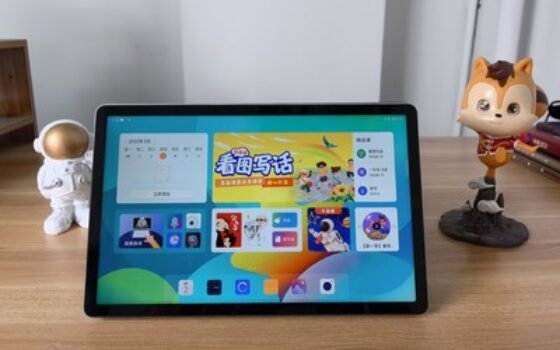
Against this background, we also got Lenovo’s latest Lenovo Tianjiao tablet. Its positioning as a “universal learning tablet” has attracted the attention of many consumers. Today we will take you to take a look at this product.
Big screen, big field of view, thousand yuan learning tablet new model
Different people may have different opinions on the choice of online education equipment. For example, some parents prefer laptops, and some prefer tablets. Each has its own advantages and disadvantages. For example, laptops will definitely cost more, and while bringing a large-screen experience, their portability is also reduced. Tablets are more affordable, and while bringing a large-screen experience, they are also highly portable.
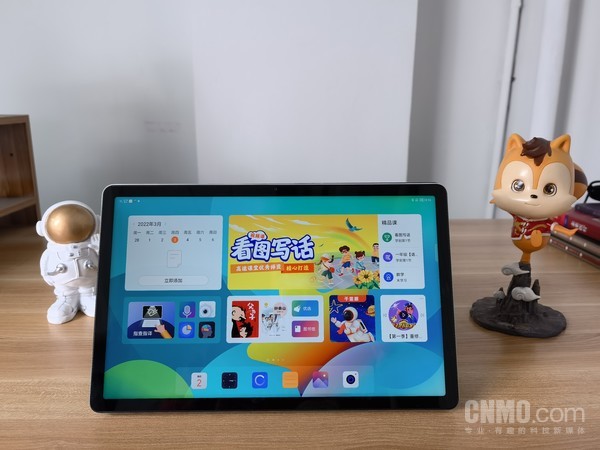
Lenovo Tianjiao tablet is equipped with an 11-inch 2K resolution screen. The display effect is large and clear enough. It is also equipped with a narrow bezel design of “equal width on all four sides”, and the screen-to-body ratio reaches 85%. At the same time, it also supports hardware-level anti-blue light, reducing blue light from the light source, protecting eyes without color cast, and making it healthier for children. On the top frame, an 8-megapixel front-facing lens is placed, which can meet the needs of face recognition or daily photography. The back is equipped with a 13-megapixel rear lens and flash, which can easily meet the needs of daily tablet shooting. In terms of camera configuration, some tablets costing several thousand yuan are no more than this.
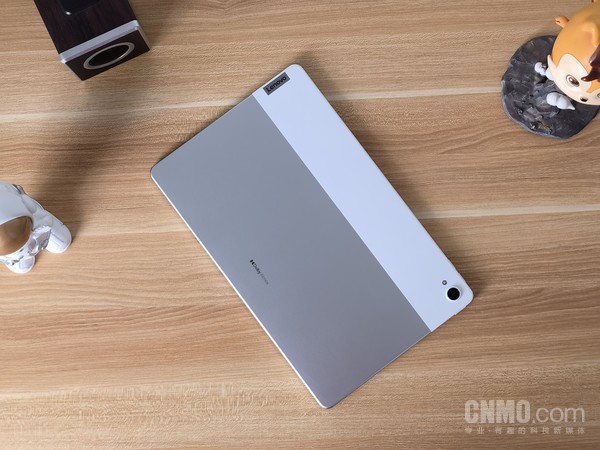
On the back of the fuselage, Lenovo Tianjiao tablet uses a metal + plastic splicing process, which looks quite unique. The lower two-thirds are made of metal and are molded in one piece. They are also matte-finished and feel very comfortable to the touch. The upper part is made of white plastic, which not only increases the color collision, but also achieves the effect of reducing weight. The weight of the whole machine is controlled at 490g, which is not bad. You must know that there is a large 7700mAh battery inside. To some extent, this can be regarded as a balance of design. With this battery, the battery life of Lenovo Tianjiao tablet can achieve 790 hours of standby, or 12-15 hours of video playback, which can easily meet daily use.
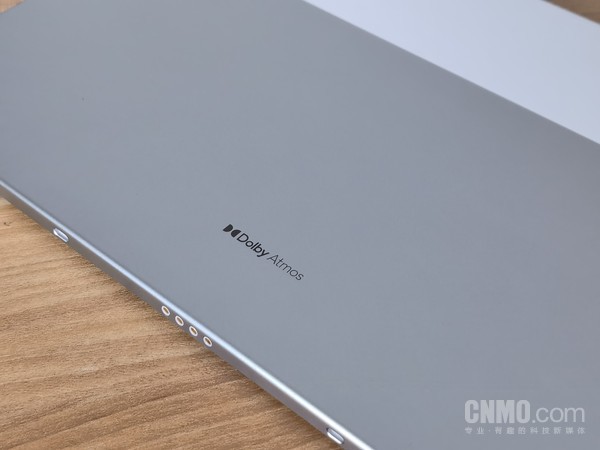
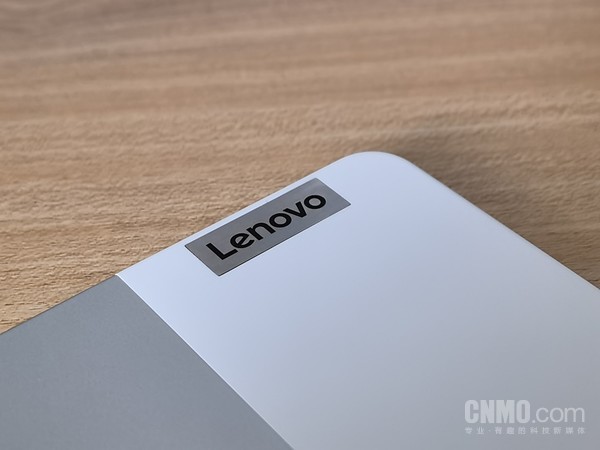
There is also a very conspicuous “Dolby Atmos” logo on the back, which means that it supports Dolby Atmos, which can bring a better sound quality experience, and the 4-speaker JBL certification has a good effect when listening to teachers or listening to music. Of course, you can also get a good experience by using Lenovo Tianjiao tablet to watch dramas in your free time, whether it is visual or auditory. It is worth mentioning that the Lenovo Tianjiao tablet has two microphones placed in the middle of the top middle frame, and is equipped with Elephant Sound AI noise reduction, which is more conducive to sound collection when used in daily horizontal screen use.
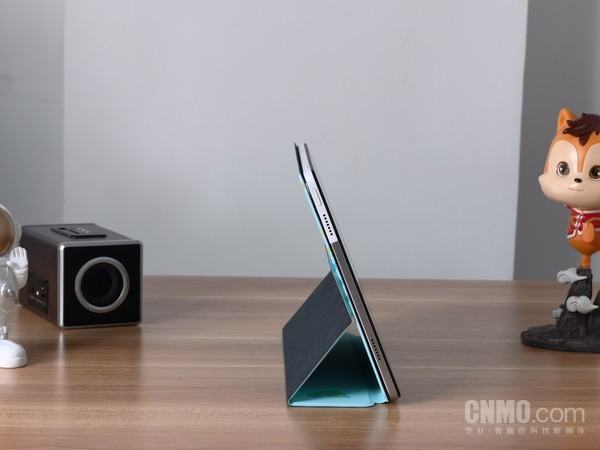
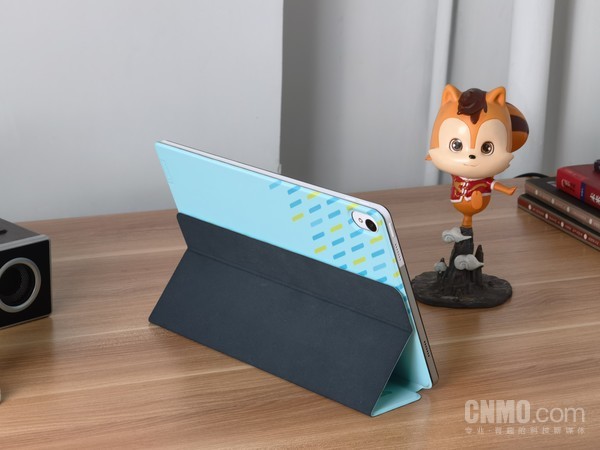
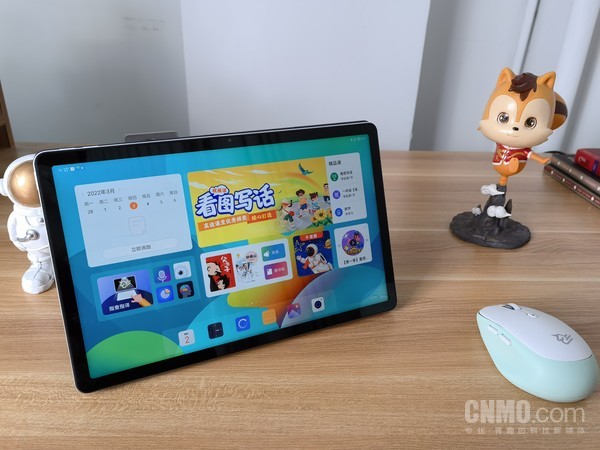
It is worth mentioning that Lenovo has also equipped it with a carefully designed protective case, which is more in line with children's aesthetics. In addition to protecting the tablet, it can also be used as a tablet stand for daily study.
Lenovo Tianjiao School, a learning paradise for children
What is Lenovo Tianjiao Academy? As the name suggests, it is actually an immersive learning platform specially created for children. Learning here will be more secure and will not be disturbed by other functions. The exclusive desktop and learning resource presentation can make learning more efficient.
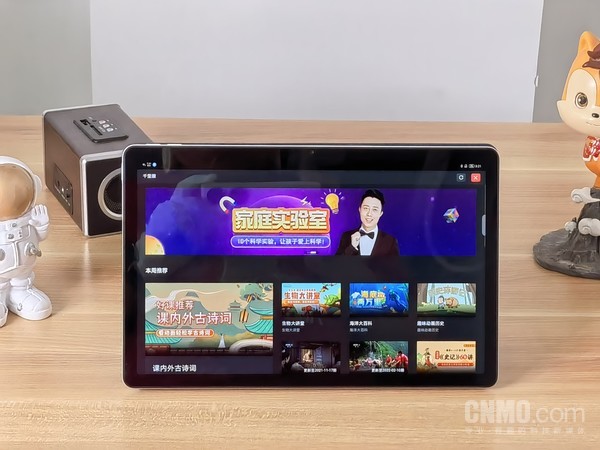
As we mentioned earlier, the Lenovo Tianjiao tablet is a tablet targeted at learning for all, so it is not only for students, but can also be used by other groups. This allows it to have two “intelligent learning space” modes, one is Lenovo Tianjiao School for students, and the other is a normal mode for other users. By entering different faces, you can automatically enter different modes after unlocking. In this way, if there are children at home, after entering the child's face, they will automatically enter Lenovo Tianjiao Academy every time they use it, so parents don't have to worry about their children doing other things. On the contrary, when parents use it, they can use it normally after unlocking it, and there is no need to manually exit Lenovo Tianjiao Academy, and it can be done in one go.
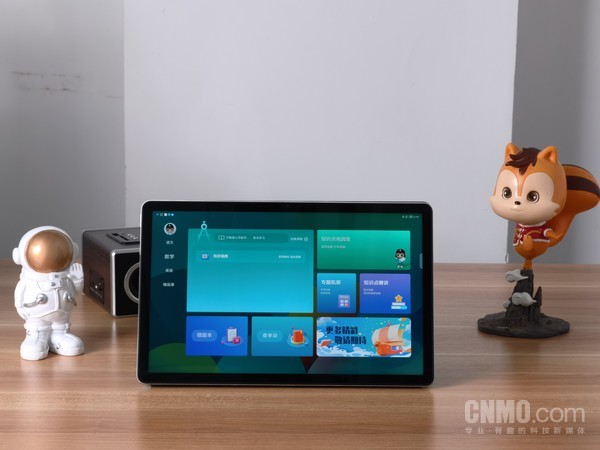
In Lenovo Tianjiao School, the exclusive Tianjiao desktop is more suitable for children's daily learning and use. The card-style style looks neater, and the functional partitions are clear and can be reached at one click. For example, in the upper left corner is the card of the course schedule, where you can add your own courses, class applications, reminders, time periods, etc., so as not to miss important courses; on the right side of the course schedule are the premium courses, created by the outstanding teachers of Gaotu Classroom, so that learning is guaranteed; and the overview card at the bottom refers to the translation, library, clairvoyance and ear-grinding areas. Among them, the library has a very rich collection of books, comics, video lessons, listening books and other resources for children to expand their interests; the clairvoyance area has a wealth of popular science and cultural videos, which can also help children broaden their horizons and cultivate their interests; and the ear-grinding area has very rich listening resources, allowing children to learn knowledge from listening to books.
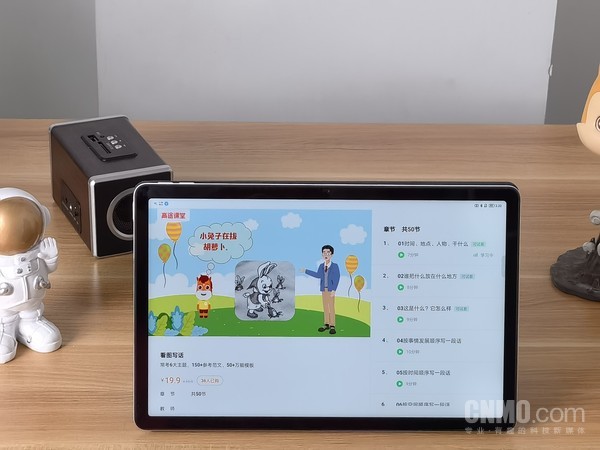
Swipe right on the desktop to bring up the synchronized learning page, where children can synchronize classes, knowledge point consolidation exercises, topic expansion course videos, and detailed lectures on knowledge points to help children thoroughly understand the knowledge they have learned, and at the same time, it can also cultivate children's interest in learning.
Synchronous practice uses 5.3 classic teaching aids. Children can practice according to the course catalog, including online problem solving, knowledge consolidation, etc. It is efficient and direct, and its effect is obvious. For curious knowledge, children can also ask questions on the tablet at any time, such as in which era did dinosaurs live? What is the Pythagorean Theorem? The tablet will give you patient answers. In fact, you can save yourself buying 100,000 whys.
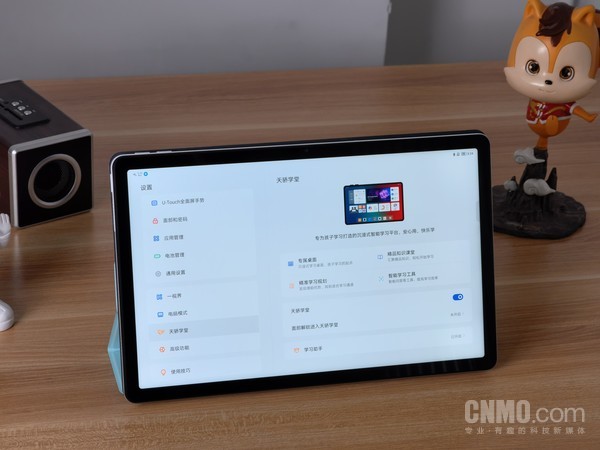
In Lenovo Tianjiao Academy, there is also a learning assistant, which has the ability to count device learning time, set application time limits, content access restrictions, curriculum, healthy eye protection, study with the same screen, and family protection. It is a very considerate learning companion. Taking the device usage time as an example, parents can set a break time, and the device will automatically deactivate when the break time is up to prevent overuse. At the same time, parents can also set the total daily use time, single use time, interval time, etc., and can very strictly manage their children's learning and rest time.
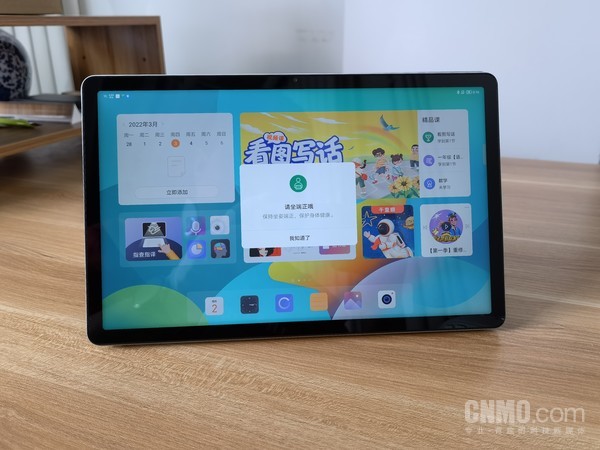
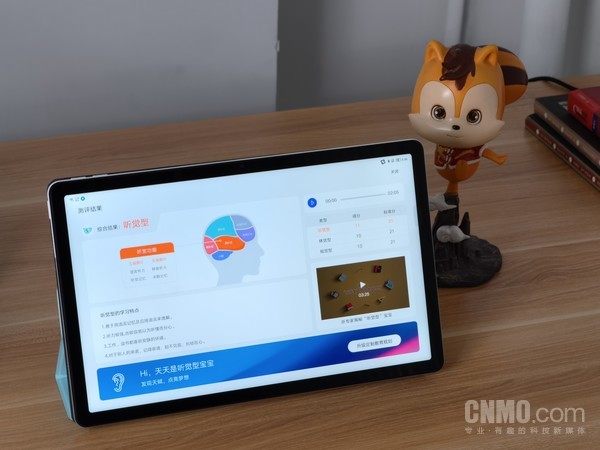
Another example is healthy eye protection. In addition to hardware-level anti-blue light, it also has distance reminders, sitting posture reminders, and concentration reminders. When the sitting posture is irregular or not focused enough, it will send out reminders. While helping children develop good habits, it can also improve learning efficiency and avoid wasting time. The Lenovo Tianjiao tablet can also conduct habit assessments and provide results and analysis to customize personalized learning goals. In this regard, parents can let their children test the tablet when they get it.
The Lenovo Tianjiao tablet also has the “Study with the same screen” function. After it is turned on, you can use a Lenovo mobile phone or tablet device to connect to the device through “Super Internet” to view the screen of the device. Parents who use Lenovo mobile phones or Lenovo tablets can try this function.
ZUI 13, there are always some highlights to impress you
I won’t go into details about the UI of Lenovo Tianjiao tablet here. The new visual language of “Light Sensing Mimicry” and the new all-round card bring an excellent visual experience and interactive experience.
ZUI 13 also creates a “one view” function. Parallel windows, free split screens, application floating windows, and computer mode allow the tablet's large screen to have higher utilization and efficiency. Take the parallel window as an example. The same application can be displayed on two screens. The previous page is on the left and the latest page is on the right. More operations can be accessed at one touch.
Another example is the free split screen. Two applications can be processed on the same screen, which avoids repeated page jumps when processing multiple tasks on a single screen. Take the simplest way of writing a memo, you can directly open the gallery on the same screen and drag the pictures in the gallery into the memo. It is simple and efficient. The application floating window brings up a small window to quickly handle temporary matters, which is more convenient to use, and other space on the screen can be used for other things.
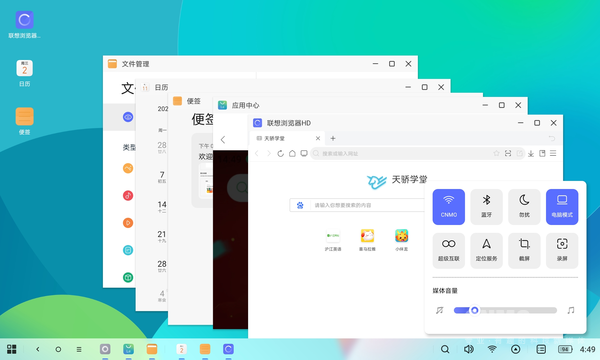
The computer mode restores the original visual and interactive experience of Windows as much as possible, and can open up to five windows, which is difficult to experience on some other tablets.
Another highlight of ZUI 13 is the “super interconnection” function. This may be a future development direction for major brands. It will open up the barriers of various terminal products and integrate the experience, which will bring about a qualitative improvement in experience. It includes functions such as extending the computer to the tablet, mirroring the screen from the mobile phone to the tablet, and transferring files across brands, each with its own characteristics.
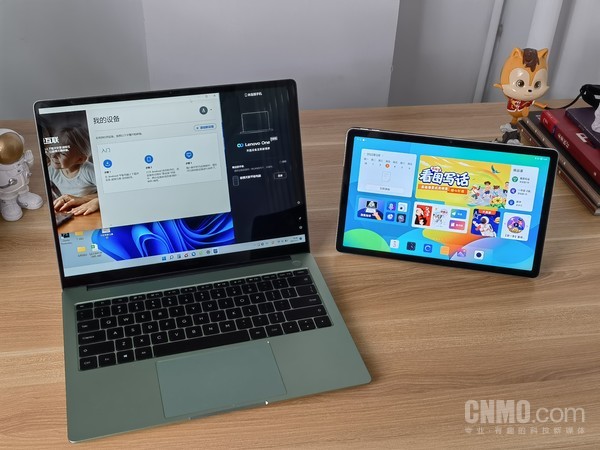
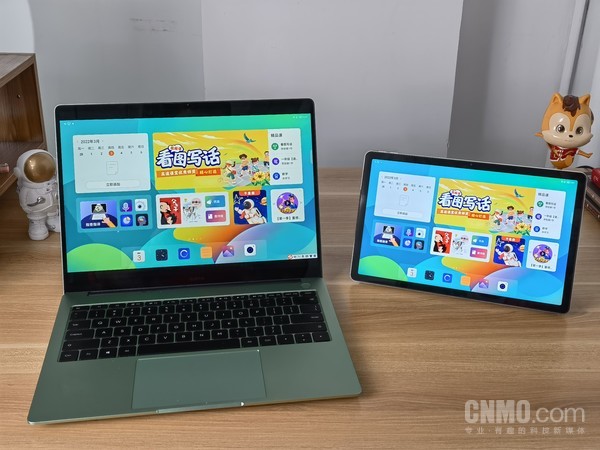
For example, if a computer is extended to a tablet function, a Windows PC can download and install “Super Connect” from the Microsoft App Store, and then select “Computer Secondary Screen” from the “Super Connect” function on the tablet side. The tablet can be used as a secondary screen of the PC, bringing more creative possibilities.
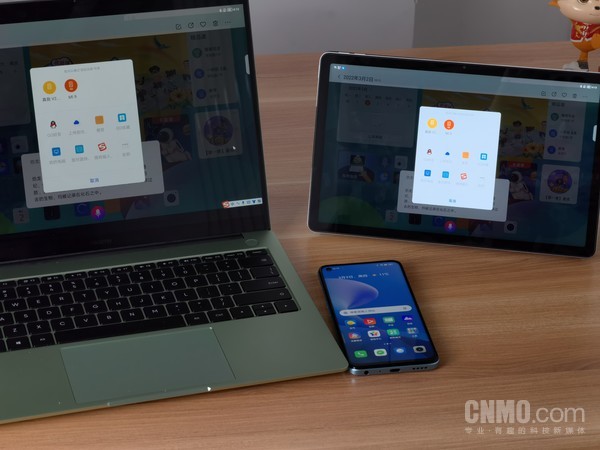
Another example is the cross-brand file transfer function, which can currently be implemented for brand products in the mutual transmission alliance, including Xiaomi, vivo, OPPO, realme, Black Shark, Meizu, OnePlus, ZTE, Hisense, Asus, ROG, Samsung, etc. This makes transferring files fast and easy.
Summarize
As a tablet product positioned for universal learning, Lenovo Tianjiao Tablet creates a personalized learning space with Lenovo Tianjiao Academy, bringing a more efficient and focused learning experience to children. Of course, in terms of price, it is indeed affordable in this price range and lowers the threshold for children to use learning tablets. At the same time, on it, we can also experience the Internet experience that Lenovo is actively creating, which will become a trend in the future.
magicCubeFunc.write_ad(“dingcai_top_0”);


 Login with Google